How I treated my resume like production software, tuning content, structure, metadata, and accessibility so that ATS systems, AI models, and other machines parse it correctly.
Disclaimer: None of what I describe in this post will directly improve your chances of getting a job. ATS systems are notoriously inconsistent, most recruiters never look at PDF metadata, and no amount of embedded JSON is going to compensate for weak experience or a poorly written resume. This post is about treating your resume as a piece of software: building it with the care you'd give a production system, and understanding the infrastructure underneath a document most people treat as a Word file. I did it because I was curious, because I enjoy over-engineering things, and because if a machine is going to read my resume, I'd rather it read it correctly.
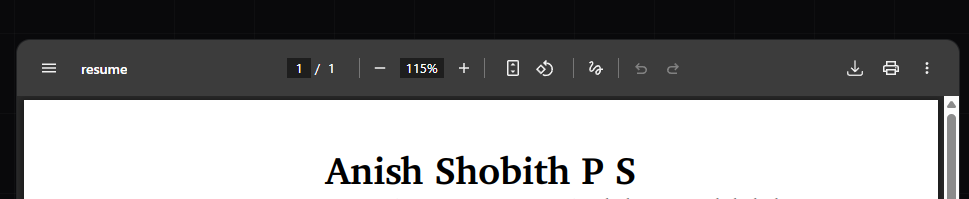
When I added a /resume page to my website and embedded the PDF in a viewer, I noticed something small and annoying: the title bar of the PDF viewer showed the word resume instead of my name or the document title.
It's a minor thing. Most people would ignore it. But I'm the kind of person who opens twelve browser tabs to understand why something works the way it does, so I started digging.
It turns out PDFs carry metadata (title, , , , , and more) embedded inside the file itself, completely separate from the visible content. This metadata is used by PDF viewers to display the document title, by search engines to index the content, by screen readers for accessibility, and by to parse and categorise resumes automatically.
A PDF file is not a flat document. It's a structured binary format that contains, among other things, a document information dictionary (the legacy metadata format) and an XMP stream (the modern standard). Both can carry structured information about the document: who created it, when, what it's about, what language it's in, who owns the rights to it, and more.
The XMP (Extensible Metadata Platform) standard was developed by Adobe and is now the format used by archival systems (PDF/A), enterprise document management platforms, and most modern ATS software. It's built on RDF/XML, so the metadata is machine-readable in a proper semantic sense: typed, namespaced, linked data rather than flat key-value pairs.
For a resume specifically, this matters in a few ways. Systems like Workday, Greenhouse, and Lever extract text from PDFs and try to identify sections, dates, job titles, and skills, and well-structured metadata helps them get it right. Google and other crawlers that index PDFs read XMP metadata to work out what a document is about. Screen readers use document metadata to describe a file to visually impaired users. And metadata like author, date, and license makes it clear who created the document and under what terms.
None of it will get you a job. It does mean that when a machine reads your resume, it reads it correctly.
The first step was to actually see what metadata my resume had. I used exiftool, a free, open-source command-line tool that reads and writes metadata in virtually any file format, including PDFs.
ExifTool Version Number : 13.51File Name : Anish_Shobith_P_S_Resume.pdfDirectory : .File Size : 185 kBFile Modification Date/Time : 2025:12:31 03:28:46+05:30File Access Date/Time : 2026:02:24 03:14:13+05:30File Creation Date/Time : 2026:02:24 03:13:29+05:30File Permissions : -rw-rw-rw-File Type : PDFFile Type Extension : pdfMIME Type : application/pdfPDF Version : 1.7Linearized : NoPage Count : 1Page Mode : UseOutlinesProducer : pdfTeX-1.40.28Author :Title :Subject :Creator : LaTeX with hyperrefCreate Date : 2025:11:22 20:51:41ZModify Date : 2025:11:22 20:51:41ZTrapped : FalsePTEX Fullbanner : This is pdfTeX, Version 3.141592653-2.6-1.40.28 (TeX Live 2025) kpathsea version 6.4.1
Author, Title, and Subject are all empty. There's no XMP stream at all, just the bare legacy PDF dictionary. The producer identifies the tool (pdfTeX) but the creator says LaTeX with hyperref, which is the default when you use \usepackage{hyperref} without configuring it. No keywords, no language, no rights information, no contact details. Basically, the minimum a PDF can have while technically being a PDF.
To specifically check whether there's any XMP metadata:
My resume is written in LaTeX, so the right place to add metadata is in the LaTeX source itself. That way the metadata is generated automatically every time I compile, always reflecting the current state of the document.
The two packages that handle this are:
hyperref: The standard LaTeX package for hyperlinks and PDF metadata. It writes to the legacy PDF information dictionary.
hyperxmp: An extension that hooks into hyperref and writes a full XMP stream to the PDF. This is the package that makes the metadata actually useful to modern parsers.
The critical thing about hyperxmp is load order. It must be loaded immediately after hyperref, before any other package that might interact with hyperref's output routines:
\RequirePackage[hidelinks]{hyperref}\RequirePackage{hyperxmp} % immediately after; order matters
And the \hypersetup configuration block must live in main.tex, not in a .sty file. When it's inside a style file, it runs during package loading, before hyperxmp has registered its \AtBeginDocument hooks. The result is that hyperxmp loads fine, writes no errors, but produces an empty XMP stream. This is exactly what happened to me, and it took a lot of log-file grepping to diagnose.
Here's the full \hypersetup block in main.tex:
\hypersetup{ pdftitle={Anish Shobith P S}, pdfauthor={Anish Shobith P S}, pdfauthortitle={Software Engineer}, pdfsubject={Software Engineer Resume - JavaScript, TypeScript, React, Next.js}, pdfkeywords={ JavaScript, TypeScript, Python, C, C++, React, Next.js, Astro, Tailwind CSS, Three.js, Framer Motion, Node.js, Bun, Express.js, Hono, REST, GraphQL, PostgreSQL, MySQL, SQLite, MongoDB, Prisma, Drizzle, Git, Docker, Linux, Typst, LaTeX, Software Engineer, SDE, Full Stack, Frontend, Backend, Mangaluru, India, Open to Work, n10nce, anishshobithps }, pdfcreator={pdflatex + XCharter}, pdfproducer={Anish Shobith P S}, pdflang={en-US}, pdfmetalang={en-US}, pdfcontactaddress={Mangaluru - Karnataka - India}, pdfcontactemail={anish.shobith19@gmail.com}, pdfcontacturl={https://anishshobithps.com}, pdfcopyright={Copyright 2024-\the\year\ Anish Shobith P S. Licensed under Apache-2.0.}, pdflicenseurl={https://www.apache.org/licenses/LICENSE-2.0}, pdfurl={https://anishshobithps.com}, pdfpubtype={other},}
A few things worth noting here:
pdfauthortitle embeds your job title as a discrete structured field, not just freeform text. This maps to photoshop:AuthorsPosition in the XMP stream, a field that Adobe and some HR systems read specifically for the creator's role.
pdfcontact* fields (email, URL, address) map to the IPTC Core CreatorContactInfo structure in the XMP output, giving parsers your contact details as typed, discrete fields rather than text buried in keywords.
pdfcopyright uses \the\year so the copyright range updates automatically at every compile. The 2024 at the start is hardcoded as the original publication year, and \the\year expands to the current compilation year.
pdfdate is intentionally omitted. I originally included pdfdate={\DTMtoday} to embed the compile date, but \DTMtoday from the datetime2 package expands at the wrong time inside \hypersetup and silently corrupts the entire options block, so hyperxmp writes nothing. Removing it entirely is the right call; hyperxmp automatically sets the date from the PDF creation timestamp anyway.
One more pitfall: using -- or \textendash inside metadata string fields. These are LaTeX typographic commands that work fine in the document body, but inside \hypersetup string values they get passed raw to the PDF encoder, which interprets them as Windows CP1252 ligatures. The result is ΓÇô in the metadata instead of –.
The fix is to use a plain ASCII hyphen in every metadata string:
pdfsubject={Software Engineer Resume - JavaScript, TypeScript, React, Next.js},pdfcopyright={Copyright 2024-\the\year\ Anish Shobith P S. Licensed under Apache-2.0.},
Reserve -- and \textendash for the visible document body only.
While adding fields, I also tried to include pdforcid=, a field for linking an ORCID identifier, useful for academic profiles. It seemed reasonable to add even as an empty placeholder.
The pdforcid key is only supported in newer versions of hyperxmp. The version shipped with TeX Live 2025 (v5.13) doesn't recognise it. Remove it. If you ever get an ORCID, you can add it back once you've verified your hyperxmp version supports it.
I also tried to manually embed a raw XMP stream using \pdfcatalog with inline XML, attempting to add Dublin Core, FOAF, vCard, PRISM, and Schema.org namespaces directly into the XMP packet. It caused a fatal compile error because pdflatex sees the angle brackets in the XML and tries to interpret them as LaTeX commands.
The correct approach is to let hyperxmp handle the XMP stream entirely. The \pdfcatalog block should only contain valid PDF primitive syntax: viewer preferences, language tags, mark info. No XML. The correct block is:
/DisplayDocTitle true is the important one here, because it's what makes PDF viewers show your name in the title bar instead of the filename. That was the original problem that started this whole rabbit hole.
Note: Even this \pdfcatalog block needs to stay out of main.tex if you want the XMP stream to be written correctly. During debugging I discovered that placing \pdfcatalog between \hypersetup and \begin{document} also silently breaks the XMP output. Move it into formatting.sty or remove it entirely. hyperxmp handles MarkInfo automatically, and the DisplayDocTitle hint is cosmetic.
I compile my resume inside a Docker container, for reproducibility. LaTeX installations are notoriously environment-dependent. A package installed on one machine might be a different version on another. Fonts render differently. Compilation fails silently because a package is missing. Using Docker means the resume always compiles identically, on any machine, in any environment, including CI.
The base image I originally used was pandoc/latex:latest, which ships a minimal frozen subset of TeX Live. The problem is that tlmgr install is effectively broken on this image: the TeX Live installation is frozen and network-restricted, so packages silently fail to install. You can see this by running:
docker run --rm --entrypoint tlmgr pandoc/latex:latest info enumitem
Output:
TeX Live 2025 is frozenand will no longer be routinely updated....installed: No
The package shows as not installed, and there's nothing you can do about it from within that image. The fix is to switch the base image to texlive/texlive:latest, which is the official TeX Live Docker image with a fully functional tlmgr.
But that introduces another problem. texlive/texlive:latest ships TeX Live 2025, and by the time I was building this, the default tlmgr remote repository had already moved to 2026. Cross-release updates are not supported:
tlmgr: Local TeX Live (2025) is older than remote repository (2026).Cross release updates are only supported with update-tlmgr-latest(.sh/.exe) --update
The fix is to pin the repository to the frozen 2025 archive:
RUN tlmgr option repository https://ftp.math.utah.edu/pub/tex/historic/systems/texlive/2025/tlnet-final
With that in place, tlmgr install works correctly against the frozen archive. The full Dockerfile:
enumitem: fine-grained control over list spacing and indentation
titlesec: custom section heading formatting
xcharter + xcharter-math + fontaxes: the XCharter font family, an extension of Charter, which renders cleanly at small sizes and survives PDF text extraction better than many alternatives
etoolbox: LaTeX programming utilities used by several other packages
xstring: string manipulation, used for the \shorturl command that strips https:// from displayed URLs
geometry: page margin control
fancyhdr: header/footer control (used to suppress headers on a single-page document)
xkeyval: key-value option parsing, dependency of xcharter
microtype: micro-typographic refinements: character protrusion and font expansion, which improve text justification and make the document look less like it was typeset by a machine
hyperxmp: XMP metadata embedding, the core of all this
datetime2 + datetime2-english: proper ISO 8601 date formatting, used elsewhere in the document
embedfile: embeds arbitrary files as PDF attachments using the spec-compliant PDF name tree method
One important note on rebuild strategy: always use --no-cache when rebuilding after Dockerfile changes, and if the image still behaves oddly, remove it explicitly first:
Without --no-cache, Docker may reuse cached layers that pre-date your changes, and you'll end up running the same broken image you were trying to replace.
The exiftool summary is convenient but lossy, because it maps XMP fields to its own tag names and drops what it doesn't recognise. To see the actual raw XMP XML that's embedded in the PDF, dump it directly:
hyperxmp writes a proper RDF graph with multiple named namespaces rather than one flat list of key-value pairs. A few things worth pointing out:
Dublin Core (dc:) writes each keyword as a separate <rdf:li> node in a typed <rdf:Bag>, not a comma-separated string. This means a parser can enumerate skills without having to split on commas and guess at boundaries.
IPTC Core (Iptc4xmpCore:CreatorContactInfo) is the namespace that maps to the Creator Address, Creator Work Email, and Creator Work URL fields you see in exiftool's output. These are discrete typed fields, not freeform text.
photoshop:AuthorsPosition is how hyperxmp stores the pdfauthortitle value. It uses the Photoshop namespace not because this has anything to do with Photoshop, but because that namespace became the de facto standard for this field before a proper XMP extension was defined.
xmpMM:DocumentID stays constant across recompiles of the same document. xmpMM:InstanceID changes with each compile. This lets document management systems track versions of the same file over time.
xmpRights:WebStatement and dc:rights are where the license information lives. exiftool surfaces xmpRights:WebStatement as Web Statement and dc:rights as Rights (en-US) in its output, which is why exiftool -xmp-rights:all returns empty (it's looking for a namespace prefix that doesn't map cleanly) while the data is clearly there when you look at the raw XML.
The pdfaExtension:schemas block at the top of the full raw packet is a schema registry declaring every custom namespace used in the document, which PDF/A compliance validation requires.
To check specific metadata standards by namespace:
# Dublin Core fieldsexiftool -xmp-dc:all Anish_Shobith_P_S_Resume.pdf# All fields including unknown/custom tagsexiftool -a -u Anish_Shobith_P_S_Resume.pdf# Check if XMP exists at all (returns count of matches)docker run --rm -v "$(pwd):/data" -w /data --entrypoint bash \ latex-builder -c "grep -c 'xmpmeta' Anish_Shobith_P_S_Resume.pdf"# Should return 2 (opening and closing tag)
# Dublin Core fieldsexiftool -xmp-dc:all Anish_Shobith_P_S_Resume.pdf# All fields including unknown/custom tagsexiftool -a -u Anish_Shobith_P_S_Resume.pdf# Check if XMP exists at all (returns count of matches)docker run --rm -v "${PWD}:/data" -w /data --entrypoint bash ` latex-builder -c "grep -c 'xmpmeta' Anish_Shobith_P_S_Resume.pdf"# Should return 2 (opening and closing tag)
XMP metadata is good, but it's still a flat set of key-value fields. It tells a parser your name, email, and keywords, but not which part of the document is your work history, which text is a job title, or what date range belongs to which role. For that, you need a different approach.
The solution is to embed structured data files directly inside the PDF as attachments. Two standards are worth using here, because different systems understand different things.
Schema.org is the vocabulary used by Google, semantic web crawlers, and increasingly by AI systems processing documents. It's typed, linked, and hierarchical.
JSON Resume is an open standard built for resumes. It's simpler and more opinionated, and platforms like Workday, Greenhouse, and Lever parse it natively: they know the schema and map fields directly without inference.
Embedding both covers the widest possible surface area.
My first attempt was to use the attachfile2 LaTeX package. This package embeds files as PDF annotations, essentially clickable paperclip icons pinned to a position in the document. You can make them invisible with an empty text argument:
The output is empty. The file wasn't embedded in the PDF's EmbeddedFiles name tree. It was attached as an annotation object, which is a fundamentally different thing. Some PDF viewers will show it as a paperclip. Most parsers will ignore it entirely.
The correct package for proper spec-compliant embedding is embedfile.
The alternateName fields on each ItemList are the ATS compatibility layer. Different systems use different heading names to identify sections when extracting text from a PDF. A Schema.org-aware parser reading this attachment knows that "Experience", "Employment History", and "Career History" all refer to the same section.
One Schema.org gotcha worth knowing: copyrightYear must be a 4-digit integer, not a string. Writing "2024 - Present" will fail structured data validation. Use dateCreated for the origin year and dateModified for the current year, and keep copyrightYear as a plain integer.
\embedfile[ mimetype=application/ld+json, desc={Schema.org structured data - Anish Shobith P S}, afrelationship={/Supplement}]{schema.json}\embedfile[ mimetype=application/json, desc={JSON Resume - Anish Shobith P S}, afrelationship={/Supplement}]{resume.json}
The afrelationship={/Supplement}
tag marks these as supplementary files in the PDF spec: metadata companions to the main document rather than replacements or alternatives.
import pypdfr = pypdf.PdfReader('Anish_Shobith_P_S_Resume.pdf')for name, data_list in r.attachments.items(): for data in data_list: print(f'--- {name} ---') print(data.decode('utf-8'))
Or run it directly in Docker without installing anything locally:
This runs before the pdflatex compile step, so the patched dates are baked into the embedded files in the final PDF. The schema.json and resume.json in the repository itself keep their placeholder dates. Only the compiled PDF gets the real one.
The copyright year in formatting.sty handles itself:
pdfcopyright={Copyright 2024-\the\year\ Anish Shobith P S. Licensed under Apache-2.0.},
\the\year is a pdflatex primitive that expands to the current year at compile time. No scripts needed.
Typed person entity with occupation, education, projects, skills, and section name aliases for ATS matching
JSON Resume (attachment)
Open standard structured data natively parsed by major ATS platforms
The document also compiles with \pdfgentounicode=1 and \input{glyphtounicode}, which ensures Unicode character mapping is embedded in the PDF. Text copied from the PDF, or extracted by a parser, then comes out as proper Unicode characters rather than glyph codes. It's a small thing, but it's the difference between an ATS reading "JavaScript" and reading a garbled sequence of glyph references.
Honestly, probably not in a practical sense. Most ATS systems parse the raw text of a PDF by extracting it with a library like pdftotext and running regex patterns or ML classifiers over it. They're not reading XMP streams. They're not extracting JSON-LD attachments. The metadata I spent a weekend embedding will go completely unread by most of the systems that will ever process this resume.
The payoff was elsewhere. I now understand exactly what a PDF is, what information it can carry, and how that information is structured. I understand why my resume wasn't showing a title in the PDF viewer. I understand the difference between annotation-based and name-tree-based PDF attachments, between the legacy PDF dictionary and an XMP stream, between pandoc/latex and texlive/texlive as base images and why one of them silently fails to install packages. I understand why \hypersetup has to live in main.tex and not in a .sty file, and what happens to your XMP stream when you put \DTMtoday in the wrong place.
I treated a document like a software system, with versioning, reproducible builds, structured data, and automated deployment, and doing it taught me far more than the result itself was worth.
If you want to look at the source, or use it as a starting point for your own resume, it's all on GitHub.